If you run Facebook or Instagram ads and don’t use the Facebook Pixel, you’re guessing instead of tracking.
This guide explains what Facebook Pixel is, how to set it up, how it works, and how to use it to get better ad results—step by step.


6
What Is Facebook Pixel?
Facebook Pixel (now called Meta Pixel) is a small piece of code you add to your website.
It helps Facebook:
- Track website visitors
- Understand user actions
- Optimize ads
- Retarget people
- Measure conversions
In short: Pixel tells Facebook who to show your ads to.
Why Facebook Pixel Is So Important
Without Pixel:
- No accurate conversion tracking
- No retargeting
- Weak optimization
- Higher ad costs
With Pixel:
- Better targeting
- Smarter ad delivery
- Lower cost per result
- Scalable campaigns
Pixel is the backbone of profitable Facebook ads.
What Facebook Pixel Can Track
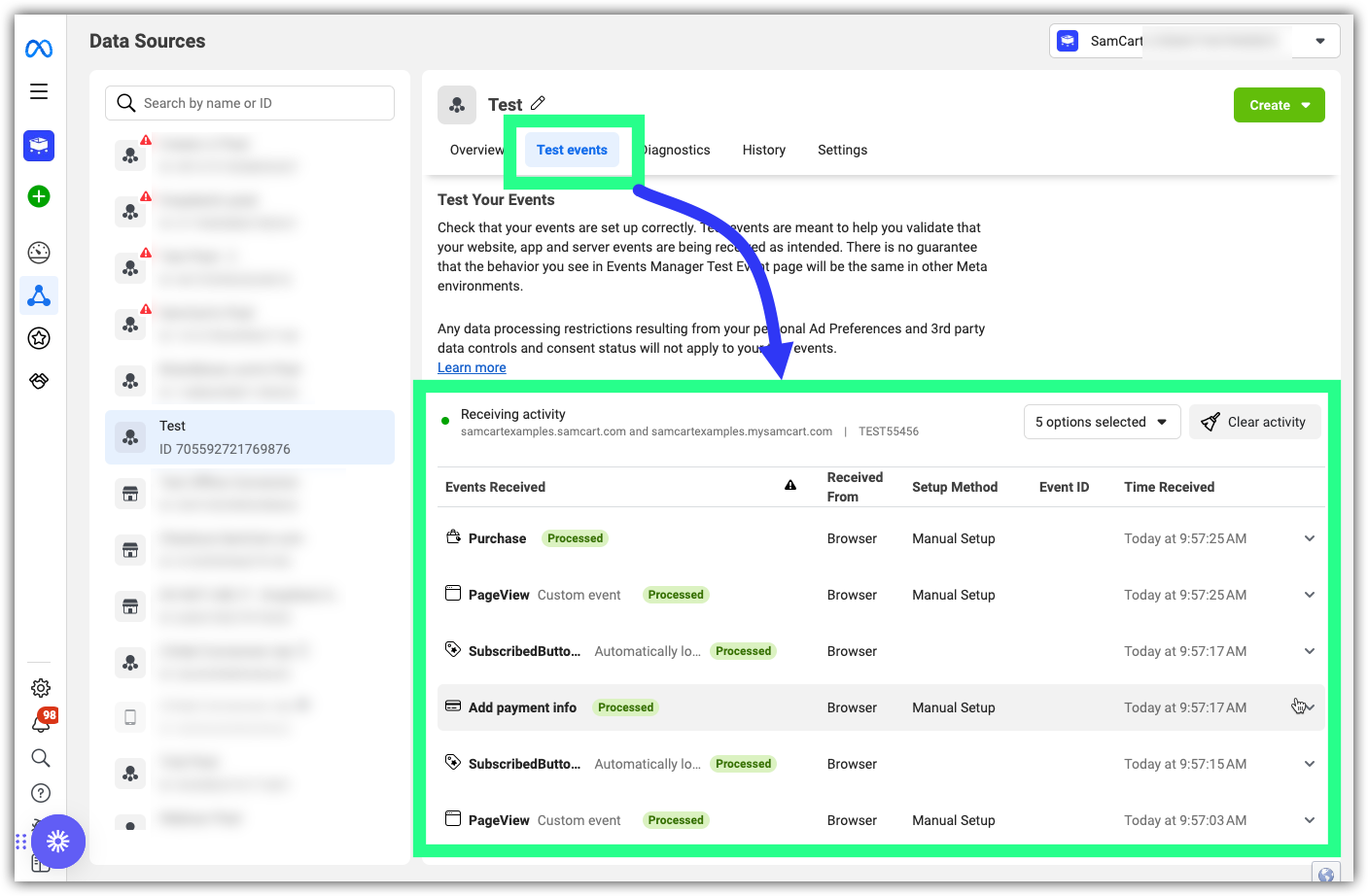
Pixel tracks events (actions people take).
Standard Events
- PageView
- ViewContent
- AddToCart
- InitiateCheckout
- Purchase
- Lead
- CompleteRegistration
Custom Events
- Button clicks
- Form submissions
- Scroll depth
- Video interactions
Events tell Facebook what matters on your site.
How Facebook Pixel Works (Simple Flow)
- User clicks your ad
- Lands on your website
- Pixel records actions
- Data goes back to Facebook
- Facebook improves targeting
More data = smarter ads.
How to Set Up Facebook Pixel (Step-by-Step)


6
Step 1: Create the Pixel
- Go to Meta Events Manager
- Click Connect Data Sources
- Choose Web
- Select Meta Pixel
- Name your Pixel
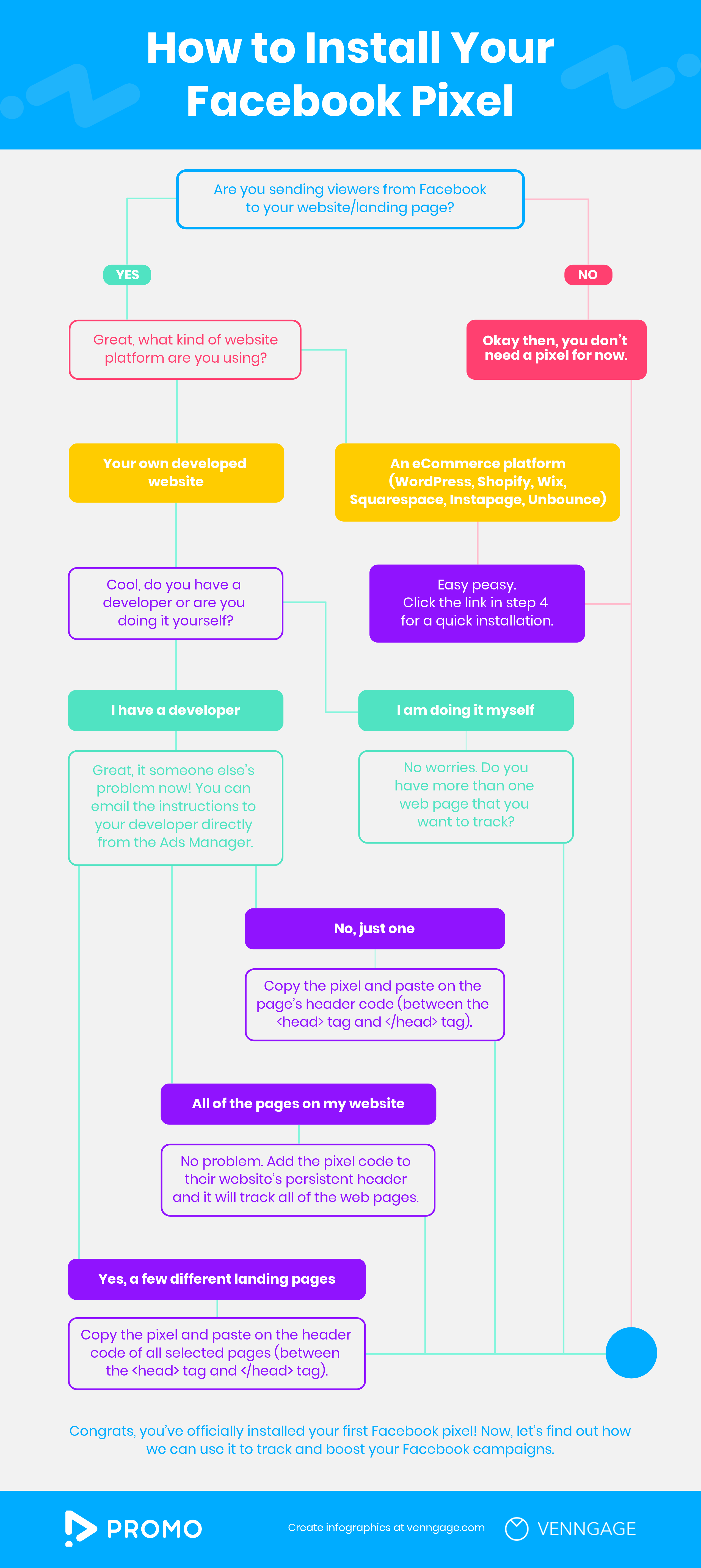
Step 2: Install the Pixel Code
You have 3 options:
Option 1: Manual Installation
- Copy Pixel code
- Paste into
<head>section of your website
Best for developers.
Option 2: Partner Integration
Works with:
- WordPress
- Shopify
- Wix
- Squarespace
Fastest and easiest for beginners.
Option 3: Google Tag Manager
Recommended for:
- Advanced tracking
- Multiple events
- Clean setup
Step 3: Verify Pixel Installation
Use:
- Meta Pixel Helper (Chrome extension)
Check:
- Pixel firing correctly
- Events tracking
Fix errors immediately.
Setting Up Events (Very Important)
Automatic Advanced Matching
Turn this ON to:
- Improve attribution
- Match users better
- Get stronger data
Event Setup Tool (No Coding)
Use this if you:
- Don’t know coding
- Want quick setup
You can track:
- Button clicks
- Page loads
- Form submissions
Custom Conversions
Create conversions based on:
- URL
- Event rules
Useful for:
- Thank-you pages
- Lead tracking
- Purchases
Facebook Pixel + iOS 14+ (What Changed)
Apple limited tracking. Facebook adapted.
You must now:
- Verify your domain
- Prioritize 8 events
- Use Aggregated Event Measurement
Do this inside Events Manager.
Pixel still works—but setup matters more now.
How to Use Pixel for Better Ads


6
1. Create Custom Audiences
You can retarget:
- Website visitors
- Product viewers
- Add-to-cart users
- Past buyers
These audiences convert much higher.
2. Create Lookalike Audiences
Pixel helps Facebook find people similar to your buyers.
Best sources:
- Purchasers
- Leads
- High-value visitors
Lookalikes scale campaigns fast.
3. Conversion Optimization
Instead of optimizing for:
- Clicks
- Traffic
Optimize for:
- Leads
- Purchases
- Conversions
Facebook needs Pixel data to do this.
4. Measure Real Results
Pixel shows:
- Cost per conversion
- ROAS
- Conversion paths
- Drop-off points
This helps you improve landing pages and offers.
Common Facebook Pixel Mistakes
Avoid these:
- Pixel not firing
- Wrong event tracking
- No domain verification
- Too many conversion events
- Ignoring Pixel errors
Bad data = bad ads.
Facebook Pixel Best Practices
- Install Pixel ASAP (even before ads)
- Track only meaningful events
- Give Pixel time to learn
- Don’t reset Pixel often
- Use one Pixel per business
Consistency matters.
How Long Does Pixel Take to Learn?
- Initial data: 2–3 days
- Optimization phase: 50+ events per week
- Stable performance: 1–2 weeks
Don’t judge ads too early.
Facebook Pixel vs Conversions API (CAPI)
Pixel:
- Browser-based
- Easier to set up
Conversions API:
- Server-side
- More accurate
- Better for tracking loss
Best setup: Pixel + CAPI together.
Who Must Use Facebook Pixel?
Pixel is essential for:
- E-commerce stores
- Lead generation businesses
- Coaches & consultants
- SaaS products
- Local services running ads
If you advertise, you need Pixel.
Final Thoughts
Facebook Pixel is not optional.
It’s the engine behind profitable Facebook ads.
Set it up correctly. Track the right events.
And let Facebook’s algorithm do its job.